DTF Transfer Application Mistakes Decorators Make and How to Fix Them
Most DTF pressing problems have a clear cause and a straightforward fix. The transfer is not failing because DTF is unreliable. It is failing because one variable in the press process is off. Temperature, preheat, peel timing, pressure, or surface preparation account for almost every application issue that decorators encounter.
This guide covers the seven most common application mistakes, why each one causes the problem it does, and exactly what to adjust.
- Mistake 1: Wrong Temperature
- Mistake 2: Skipping the Preheat Step
- Mistake 3: Ignoring the Supplier's Peel Type
- Mistake 4: Uneven or Insufficient Pressure
- Mistake 5: Not Using a Teflon Sheet or Parchment
- Mistake 6: Pressing on a Dirty or Damp Surface
- Mistake 7: Rushing the Peel or Pulling at the Wrong Angle
- Frequently Asked Questions
Mistake 1: Wrong Temperature
Too high: scorched cotton or dye migration on polyester (pink/orange cast on whites).
Temperature is the variable decorators adjust most often and the one that causes the most consistent problems when it is wrong in either direction.
Too low: the adhesive layer does not activate fully. The transfer appears to bond during pressing but lifts at the edges after cooling, or separates partially during the peel. The print looks dull rather than vibrant. Running your finger across the design after pressing and peeling reveals areas that have not fully adhered.
Too high: on cotton, you risk scorching the garment or creating a sheen on the fabric surface. On polyester, high temperatures cause dye migration, where the fabric dye sublimes into the ink layer and produces a pink or orange cast on white elements in the design.
🌡 DTF Jersey Verified Press Specs
For the full temperature breakdown by fabric type and press calibration steps, see DTF Jersey's DTF Transfer Temperature guide.
Mistake 2: Skipping the Preheat Step
Preheat is a three-to-five second press cycle with the platen closed on the garment, no transfer. It removes moisture from the fabric and flattens any wrinkles in the press area.
Why it matters: moisture in the fabric during pressing creates steam under the transfer. That steam causes bubbles, uneven adhesion, and areas where the transfer bonds to the steam rather than to the fiber. On a garment pulled from a damp pile or a fabric that holds moisture from the environment, skipping preheat is a consistent source of adhesion problems.
It also matters for smoothness. A wrinkled fabric surface does not make full contact with the transfer. The platen contacts the high points but bridges the low points. Adhesion is incomplete in the areas that did not contact the transfer.
Preheat every garment before placing the transfer, even if the garment feels dry. Three to five seconds at press temperature is enough to drive out surface moisture and flatten minor wrinkles.
Mistake 3: Ignoring the Supplier's Peel Type
DTF transfers vary by supplier — some are engineered for hot peel, some for cold peel. The mistake decorators make most often is applying the wrong peel type to the film they have.
Why this matters: the adhesive chemistry in each film is tuned for a specific peel temperature. Reversing it pulls the design away from the fabric before the bond is fully formed (cold-peel done too soon) or causes the carrier to resist clean release (hot-peel done too late).
If you switch suppliers, always check the peel type before pressing your first batch. For a deeper explanation of the chemistry behind peel timing, see DTF Jersey's Cold Peel vs Hot Peel in DTF Printing guide.
Mistake 4: Uneven or Insufficient Pressure
Pressure distributes the heat from the platen into the transfer and the fabric. Too little pressure and the transfer does not make full contact with the fabric across the design area. Too much pressure on the wrong fabric can cause permanent texture changes or crush pile fabrics.
The result of insufficient pressure is incomplete adhesion in areas where the platen did not fully contact the transfer. These areas look fine immediately after pressing but lift after the first wash. Edge lifting is a common presentation, since edges sit furthest from the center of the press and may receive less pressure on uncalibrated machines.
Medium to firm pressure is the correct range for most DTF applications. After pressing and before the transfer has fully cooled, press the edges of the design firmly with your fingertip. Well-adhered edges should feel flush with the fabric surface. Any area that flexes away or feels raised did not receive adequate pressure.
For mesh fabrics like athletic jerseys, insufficient pressure due to the open weave is a specific risk. Place a pressing pillow or firm cardboard inside the garment to create a flat surface that supports even pressure distribution across the mesh structure.
Mistake 5: Not Using a Teflon Sheet or Parchment
Pressing directly onto the carrier film without a protective layer can cause the film to stick to the platen or produce heat marks on the transfer surface. It also creates uneven heat distribution if the platen surface is not perfectly smooth.
A Teflon sheet or silicone parchment placed between the platen and the transfer creates a consistent, smooth pressing surface and prevents the carrier film from bonding to the platen. It also protects the design surface during re-pressing if you need to apply additional heat after the initial press cycle.
Use a Teflon sheet for every press application. It is a two-second setup step that prevents a category of problems entirely. Keep a dedicated Teflon sheet at the press rather than improvising with whatever is nearby.
If you are seeing uneven heat marks or texture patterns on the garment after pressing, a Teflon sheet between the platen and the transfer will typically resolve the issue.
Mistake 6: Pressing on a Dirty or Damp Surface
The adhesive layer in a DTF transfer bonds to the fabric surface. Anything on the fabric surface that is not fiber, including oils, sizing chemicals, damp spots, or lint, can interfere with the bond.
New garments often have chemical sizing applied during manufacturing that improves handling but reduces DTF adhesion. Washing a new garment before pressing, or at minimum wiping the print area with isopropyl alcohol, removes the sizing and gives the adhesive a clean surface to bond to.
Polyester athletic fabrics are particularly prone to retaining surface oils from skin contact during try-ons or handling. Even fingerprints on the print area can sometimes contribute to small adhesion failures. Wipe the print area with isopropyl alcohol before pressing and allow it to dry completely before placing the transfer.
For the complete pre-press preparation process by fabric type, see DTF Jersey's DTF Pressing Instructions guide.
Mistake 7: Rushing the Peel or Pulling at the Wrong Angle
The peel step looks simple but has technique. The angle and speed of the peel affect how cleanly the carrier film separates from the design.
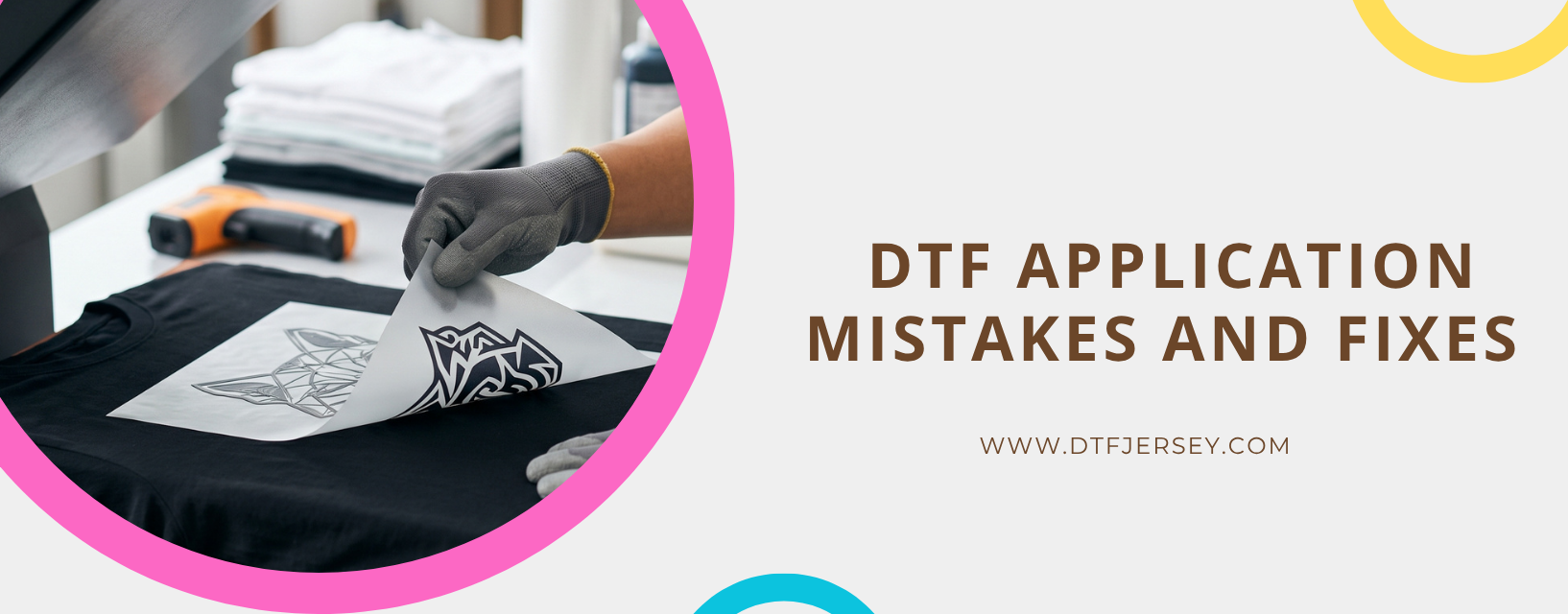
The correct technique: take hold of one corner of the carrier film and peel at a low angle, as close to parallel with the garment surface as possible. Pull slowly and steadily, keeping the film angle flat rather than pulling up and away from the surface.
Pulling at a steep angle (lifting the film vertically rather than pulling it flat) concentrates the separating force on small areas of the design rather than distributing it across the film. This can pull the design away from the fabric in small areas, particularly near fine detail and thin lines.
Pulling too quickly does not give the adhesive time to release cleanly from the carrier while staying bonded to the fabric. A slow, even peel generally produces cleaner results than a quick pull.
For troubleshooting other DTF print issues beyond application, see DTF Jersey's DTF Printing Problems guide, which covers a full range of output and adhesion problems with their root causes and solutions.
Order Transfers That Press Cleanly
DTF Jersey transfers ship same-day from NJ before 3:00 PM ET. No minimums, no setup fees, consistent quality across every run.
Order DTF Transfers → Pressing GuideFrequently Asked Questions
What temperature should I press DTF transfers at?
Press at 290–310°F (143–154°C). Cotton-rich blends sit comfortably at the upper end of that range, while polyester and athletic fabrics stay in the lower end (290–300°F) to reduce dye migration risk. Consumer heat presses may run several degrees off from the display indicator, so verify with a laser thermometer or temperature strip. See DTF Jersey's DTF Transfer Temperature guide for full details.
Why is my DTF transfer lifting at the edges after washing?
Edge lifting usually points to insufficient pressure or temperature during pressing. The edges of a transfer sit furthest from the platen center, so they often receive the least pressure on uncalibrated machines. After pressing, press the design edges firmly with your fingertip — well-bonded edges should feel flush with the fabric. If any area flexes away or feels raised, it didn't receive enough pressure. Use medium to firm pressure across the full design area.
Should I hot peel or cold peel a DTF transfer?
It depends on the supplier. DTF Jersey transfers are hot peel — lift the carrier film immediately after the press opens, then re-press briefly for a cleaner finish. Other suppliers may use cold peel film, which requires waiting until the film cools fully. Always follow the peel type your supplier specifies. See the Cold Peel vs Hot Peel guide for the chemistry behind both types.
Do I really need to preheat the garment before pressing a DTF transfer?
Yes. Preheating the garment for 3–5 seconds with the platen closed (no transfer) drives out surface moisture and flattens minor wrinkles before the transfer goes down. Moisture in the fabric creates steam under the transfer during pressing, which produces bubbles and uneven adhesion. Wrinkles leave low spots where the transfer doesn't make full contact. Preheat every garment, even if it feels dry.
Can I press DTF transfers on a new shirt straight out of the package?
It's better to wash the garment first or, at minimum, wipe the print area with isopropyl alcohol and let it dry completely. New garments often have chemical sizing applied during manufacturing that can reduce DTF adhesion. Polyester athletic fabrics are especially prone to retaining surface oils, so cleaning the print area before pressing helps prevent small adhesion failures. See DTF Jersey's DTF Pressing Instructions for the full pre-press routine.